

Untick We book the hotels
1
Open Costing
Open the trip and go to Costing. Pick the option you want to change.
2
Find the Hotels card
At the top of Costing there is a bar with cards. Find the Hotels card.
3
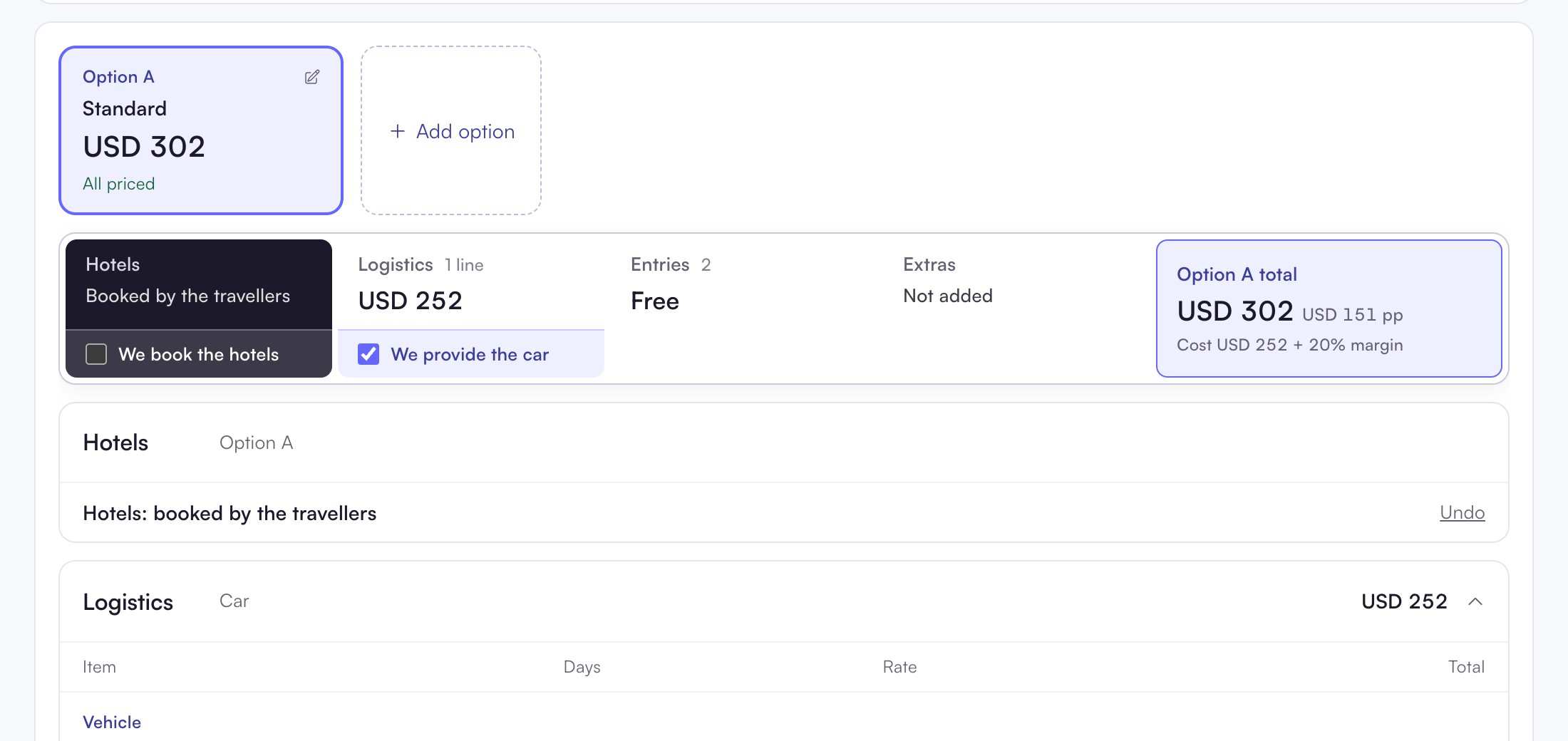
Untick the box
Untick We book the hotels.
4
Check the result
The Hotels card now reads Booked by the travellers. The Hotels section folds to one line: Hotels: booked by the travellers.
What changes
- Every hotel in this option is now priced at 0 and not charged.
- Hotels the route adds later are also booked by the travellers.
- The customer page shows no hotels. It shows one line: Hotels: booked by you.
Undo it
Click Undo on the folded Hotels: booked by the travellers line. Or tick We book the hotels again. The hotels come back as they were.If you can only view the trip, the box is greyed out.